
What is Rippling used for? Rippling is a workforce management platform that brings HR, payroll, benefits, finance, and IT management together in one system, helping businesses manage employees, automate administrative tasks, and run their workforce more efficiently.
Managing employees often means working with several different systems. Payroll may be handled in one application, employee records in another, benefits somewhere else, and company computers and software in yet another system. As a business grows, keeping all these systems connected can become a real administrative headache.
Rippling takes a different approach. Rather than treating payroll, HR, and IT as completely separate functions, it connects them through a unified workforce platform.
In this guide, we’ll explain what Rippling is used for, how it works, its key features, pricing considerations, benefits and drawbacks, and whether Rippling is worth considering in 2026.
What Is Rippling?
Rippling is a workforce management platform designed to help businesses manage people, payroll, benefits, applications, devices, and other workplace operations.
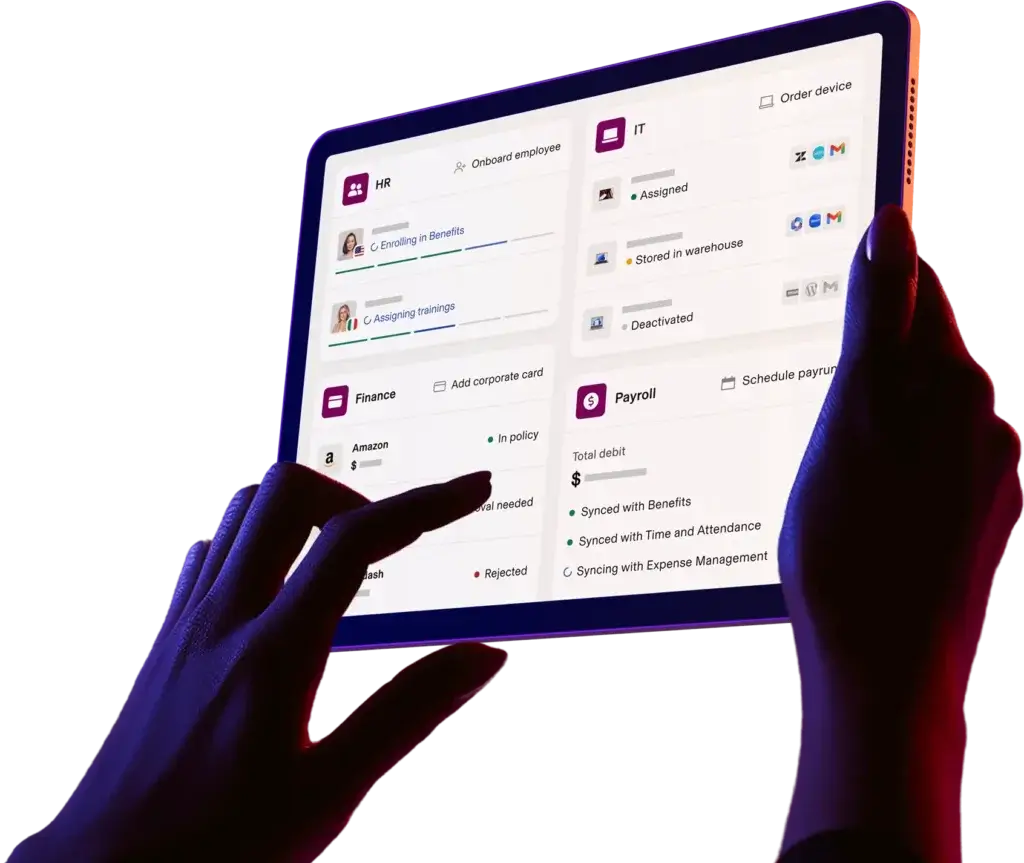
Its platform combines several business functions into one system. Depending on the products a company selects, Rippling can help manage employee onboarding, payroll, benefits administration, time and attendance, HR information, software applications, computers, and other IT-related tasks.
The idea is relatively straightforward: employee information entered into one system can be used across multiple workforce processes.
For example, when a new employee joins a company, the business may need to create an employee record, add the person to payroll, enroll them in benefits, provide access to applications, and prepare a company computer.
Instead of completing every task manually in separate systems, Rippling aims to automate and connect much of that workflow.
What Is Rippling Used For?
Rippling is used to manage and automate many of the administrative tasks associated with running a workforce.
Businesses can use Rippling for:
- Payroll processing
- Employee onboarding
- Benefits administration
- HR management
- Time and attendance
- Workforce reporting
- Software and application management
- Employee device management
- Employee offboarding
- Compliance-related workflows
- Automation of repetitive HR tasks
One of Rippling’s main strengths is the connection between these functions.
Imagine hiring a new employee. Traditionally, HR might add the employee to an HR system, finance might enter payroll information separately, and IT might manually create accounts and assign equipment.
With Rippling, employee information can flow through connected workflows, reducing repetitive data entry and making onboarding more consistent.
For companies with growing teams, this can save considerable administrative time.
How Does Rippling Work?
Rippling works by maintaining employee and workforce information within a centralized platform and using that information to power connected HR, payroll, benefits, and IT workflows.
A typical employee lifecycle might look something like this:
Hire employee → Create employee record → Set up payroll → Enroll in benefits → Assign software → Provide equipment → Manage employee → Offboard employee
The exact process depends on the Rippling products and modules a company uses.
Automation is an important part of the platform. Businesses can create rules that trigger specific actions when certain employee events occur.
For example, when someone is hired, an organization could configure workflows that notify IT, assign required applications, add the employee to appropriate payroll processes, and initiate other onboarding tasks.
This approach can be especially useful when a company has dozens or hundreds of employees and manual processes start becoming difficult to manage.
Key Rippling Features in 2026
Rippling offers a broad collection of workforce management features. Available functionality can depend on the products and modules a business selects.
Payroll
Rippling provides payroll functionality designed to help businesses calculate and process employee pay while connecting payroll information with HR data.
Human Resources
The platform provides tools for maintaining employee records, managing onboarding and offboarding, and handling other HR processes.
Benefits Administration
Businesses can use Rippling to manage employee benefits and connect benefits information with employee records.
Time and Attendance
Rippling provides time-tracking and attendance functionality that can help businesses monitor employee hours and connect time data with payroll.
IT Management
One of Rippling’s distinguishing features is its ability to connect HR processes with IT administration. Businesses can manage employee applications, devices, and access as part of their workforce workflows.
Automation
Rippling allows businesses to automate repetitive administrative processes using employee data and workflow rules.
Reporting
Businesses can use workforce data and reporting tools to gain insight into employee and operational information.
What Are the Benefits of Using Rippling?
The biggest benefit of Rippling is consolidation.
Instead of maintaining completely separate systems for HR, payroll, benefits, and IT, a business can connect these functions through one workforce platform.
Reduces Administrative Work
Automating repetitive tasks can save HR and operations teams from manually completing the same processes over and over.
Improves Employee Onboarding
New employees can receive payroll setup, benefits information, applications, and other resources through connected onboarding workflows.
Reduces Duplicate Data Entry
Because employee information can be shared across connected modules, teams may spend less time entering the same information into multiple systems.
Connects HR and IT
This is particularly useful for companies that want employee onboarding and technology provisioning to work together.
Supports Business Growth
A workforce platform can provide a more structured way to manage employees as a company expands.
Creates a More Centralized Workforce System
Having employee information and workforce processes connected can make it easier for administrators to manage day-to-day operations.
Who Is Rippling Best For?
Rippling is likely to be most valuable for growing businesses that have enough employees and administrative complexity to benefit from workforce automation.
It may be particularly suitable for:
- Small and medium-sized businesses
- Growing startups
- Technology companies
- Remote and distributed teams
- Businesses with dedicated HR teams
- Companies that want HR and IT integration
- Organizations managing multiple workforce systems
For a company with only a few employees and very simple payroll requirements, Rippling’s broader platform may be more than necessary.
The more complex your workforce becomes, however, the more valuable connected HR and IT workflows can become.
Rippling Payroll, HR, Benefits & IT: What Does It Include?
One of Rippling’s biggest selling points is that it doesn’t treat HR, payroll, benefits, and IT as isolated functions.
Rippling Payroll
Payroll helps businesses manage employee compensation and connect payroll information with employee records. This can reduce the need to manually transfer employee information between HR and payroll systems.
Rippling HR
The HR functionality covers employee data and common workforce processes such as onboarding, offboarding, employee management, and related administrative workflows.
Rippling Benefits
Benefits administration allows organizations to manage employee benefit programs and connect benefits information with their broader employee records.
Rippling IT
The IT side of Rippling helps businesses manage applications, employee access, devices, and other technology-related aspects of the employee lifecycle.
This combination is what makes Rippling different from a basic payroll application. The platform is designed to manage the entire employee lifecycle, from hiring to departure.

How Much Does Rippling Cost?
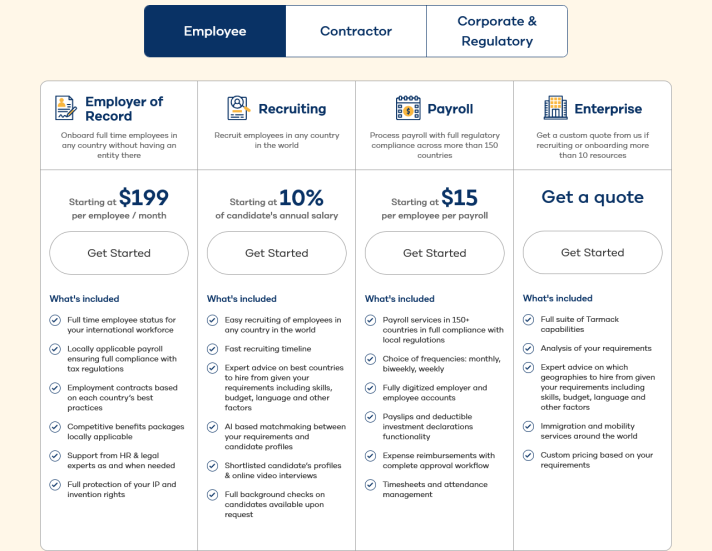
Rippling does not use a simple one-price-fits-all model. The total cost depends on the products, modules, workforce size, and services a business selects.
Rippling typically builds pricing around a base platform and additional products or modules. Businesses may therefore receive a customized quote based on their specific requirements.
Factors that can affect the overall cost include:
- Number of employees
- Payroll requirements
- HR functionality
- Benefits administration
- IT management
- Device management
- Application management
- Additional workforce products
- Geographic or international requirements
Because pricing can change and different businesses may require different combinations of products, it’s best to check Rippling’s current pricing information or request a quote before making a purchasing decision.
When comparing Rippling with competitors, don’t look only at the monthly price. Consider the cost of the separate HR, payroll, benefits, and IT tools you would otherwise need.
A platform that appears more expensive at first may provide better value if it replaces several disconnected systems.
Rippling Pros and Cons
Before choosing Rippling, it’s worth looking at both sides of the platform.
Rippling Pros
- Combines HR, payroll, benefits, and IT
- Strong workforce automation
- Reduces duplicate data entry
- Useful employee onboarding workflows
- Connects HR and technology management
- Scales with growing businesses
- Centralizes employee information
- Supports complex workforce processes
Rippling Cons
- Pricing can be more difficult to estimate than simple payroll software
- Businesses may pay for features they don’t need
- The broad platform can feel complex for very small businesses
- Final costs depend on selected products and services
- Some organizations may prefer specialized standalone applications
The important question isn’t whether Rippling has the most features. It’s whether those features solve problems your business actually has.
How to Get Started With Rippling
Getting started with Rippling begins by identifying the workforce problems you want to solve.
Do you need payroll? HR management? Benefits administration? IT automation? Or a combination of all four?
Step 1: Identify Your Requirements
Make a list of the workforce processes you currently manage manually or across multiple platforms.
Step 2: Explore Rippling’s Products
Review the available HR, payroll, benefits, IT, and workforce management solutions to determine which ones are relevant to your business.
Step 3: Request Information or a Quote
Because Rippling pricing depends on your selected products and workforce requirements, contact Rippling to determine the appropriate package for your organization.
Step 4: Set Up Your Workforce
Once you’ve selected your products, configure employee information, payroll settings, benefits, applications, and other relevant workflows.
Step 5: Automate Repetitive Processes
Set up automated workflows for onboarding, offboarding, application access, employee changes, and other recurring tasks.
Ready to explore Rippling? Get started with Rippling here.
A good implementation starts with your existing processes. Identify the areas that consume the most administrative time and automate those first.
Frequently Asked Questions About Rippling
What is Rippling mainly used for?
Rippling is mainly used for managing payroll, HR, employee benefits, IT, applications, devices, and workforce administration from one platform.
Is Rippling a payroll company?
Rippling provides payroll services, but it is broader than a traditional payroll provider. Its platform combines payroll with HR, benefits, IT, and workforce management.
Is Rippling good for small businesses?
Rippling can be useful for small and growing businesses, particularly those that need several connected workforce management functions. Very small companies with simple needs may prefer a more basic solution.
Does Rippling manage employee benefits?
Yes. Benefits administration is one of the workforce functions Rippling offers.
Does Rippling offer HR software?
Yes. Rippling includes HR functionality for employee management, onboarding, offboarding, workforce administration, and related processes.
Does Rippling manage company computers?
Rippling offers IT management capabilities that can help businesses manage employee devices, applications, and access.
Is Rippling easy to use?
Rippling is designed to centralize and automate workforce administration, but the learning curve can depend on how many products and workflows a business uses.
Does Rippling replace an HR department?
No. Rippling is a software platform that helps HR and operations teams manage and automate processes. It doesn’t replace the judgment, strategy, and employee support provided by HR professionals.
Is Rippling Worth It in 2026?
Rippling can be worth considering in 2026 if your business needs more than basic payroll.
Its biggest advantage is the way it connects HR, payroll, benefits, and IT. For growing businesses, that connection can eliminate repetitive administrative work and create a more consistent employee experience.
However, Rippling isn’t automatically the best choice for every company. If you have a very small team, basic payroll needs, and little need for HR or IT automation, a simpler solution may provide better value.
For businesses dealing with multiple workforce systems, manual onboarding, scattered employee data, and repetitive administrative tasks, Rippling offers a compelling alternative: one connected platform designed around the employee lifecycle.
Before signing up, compare the specific products you need, request current pricing, and calculate whether consolidating your workforce systems could save your business enough time and money to justify the investment.
If the answer is yes, Rippling could become more than just another HR tool—it could become the central system your business uses to manage its workforce.
Leave a Reply